



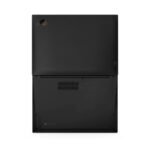
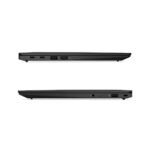
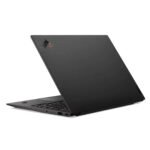
Lenovo X1 Carbon G9 Core i7 11th Gen 16 gb RAM 512gb SSD 14″ Touchscreen
Lenovo X1 Carbon G9 Core i7 11th Gen 16 gb RAM 512gb SSD 14″ Touchscreen
Top-Tier Performance
-
Processor: High-performance 11th Gen Intel Core i7 for enhanced responsiveness.
-
Memory & Speed: 16GB RAM for heavy multitasking and a 512GB NVMe SSD for rapid data access.
-
Display: 14-inch Touchscreen for intuitive navigation and high-quality visuals.
-
Software: Fully pre-loaded with Windows 11 and Microsoft Office 2021.
Elite Build & Durability
-
Ultra-Lightweight: Weighs approximately 1.1kg, making it ideal for commuting across Nairobi.
-
Premium Construction: Features a carbon fiber chassis that is “Mil-Spec” tough for maximum durability.
-
Executive Status: Widely recognized as the “Gold Standard” for business professionals.
Reliability & Warranty
-
Hardware Protection: Includes a 3-month motherboard warranty.
-
Software Support: Includes a 1-year software warranty for system optimization.
-
Quality Standard: Thoroughly tested refurbished/used unit at a competitive price point in the Kenyan market.
Ways to Purchase at Lapymania
-
In-Store: Visit the shop on Moi Avenue, Nairobi, to experience the ultra-light design in person.
-
Online: Secure checkout and fast delivery via www.lapymania.com.
-
WhatsApp: Quick chat and inquiry option available directly through the website.
Description
Lenovo X1 Carbon G9 Core i7 11th Gen 16 gb RAM 512gb SSD 14″ Touchscreen
Lenovo ThinkPad X1 Carbon G9: The Ultimate Executive Laptop in Kenya
Are you looking for a laptop that defines professional excellence and unmatched portability? The Lenovo ThinkPad X1 Carbon Gen 9 is widely regarded as the gold standard for business professionals in Kenya. Specifically, this machine combines a feather-light carbon fiber chassis with the raw power of an Intel Core i7 processor. At Lapymania Technologies, we offer this premium refurbished workstation to help you dominate your industry. Whether you are a CEO in Nairobi or a consultant in Kisumu, this laptop represents the perfect marriage of style and substance.
Elite Performance with 11th Gen Core i7 Power
The heart of this X1 Carbon is the Intel Core i7 11th Generation processor. Consequently, you can breeze through complex data analysis, heavy spreadsheets, and high-level project management without a single stutter. Furthermore, the massive 16GB of RAM ensures that multitasking remains fluid and responsive. You can jump between video conferences and intensive browser sessions effortlessly. Because efficiency is critical for modern Kenyan entrepreneurs, this laptop provides the speed you need to stay ahead of the competition.
Massive SSD and Modern Connectivity
Storage is never an issue with the 512GB Superfast SSD. This drive allows the system to boot in seconds while providing ample space for all your professional documents. Moreover, the G9 model features a refined thermal system that keeps the machine cool even under heavy pressure. Additionally, you will enjoy ultra-fast connectivity with Wi-Fi 6 and Thunderbolt 4 ports. Therefore, you can connect high-speed peripherals and external displays with absolute ease at your office along Moi Avenue.
Product Specifications & Key Features
| Feature | Specification |
| Processor | Intel Core i7 (11th Gen) |
| RAM | 16GB LPDDR4x |
| Storage | 512GB NVMe SSD |
| Display | 14″ FHD+ Touchscreen |
| Operating System | Microsoft Windows 11 |
| Software | Microsoft Office 2021 Included |
| Weight | Approx. 1.13 kg |
| Warranty | 3 Months Motherboard / 1 Year Software |
Vibrant 14-inch Touchscreen and Premium Build
The 14-inch Touchscreen display offers a natural and interactive viewing experience. It features thin bezels and a 16:10 aspect ratio, which provides more vertical screen real estate for reading reports. Similarly, the legendary ThinkPad keyboard provides the best typing experience in the world. Furthermore, the carbon fiber build ensures that the device is incredibly tough despite its light weight. Consequently, you can carry it to meetings across Nairobi without feeling any strain.
Ready to Work: Windows 11 and Office 2021
At Lapymania Technologies, we believe in providing solutions that are ready to use out of the box. Specifically, we have pre-installed Microsoft Windows 11, offering you the most secure and modern user interface. Furthermore, this unit comes with Microsoft Office 2021, so you can start working on Word, Excel, and PowerPoint immediately. This added value makes it one of the most cost-effective laptop deals in Kenya.
Why Shop at Lapymania Technologies?
We understand that buying refurbished tech requires trust. Therefore, we provide a 3-month motherboard warranty and a 1-year software warranty for your total peace of mind. Our team meticulously tests every unit to ensure it meets our high standards.
How to Purchase:
-
Online Store: Visit www.lapymania.com and check out securely for fast delivery.
-
WhatsApp: Simply use the WhatsApp option on our website for quick inquiries and direct ordering.
-
Visit Us: Come to our physical store located along Moi Avenue, Nairobi, to test the X1 Carbon in person.
Upgrade your professional toolkit today. At Lapymania Technologies, we bridge the gap between premium global technology and affordable prices in Kenya!
There are no question found.
Return & Refund Policy
Introduction
At LAPYMANIA, we strive to provide a seamless shopping experience. Please inspect your package upon delivery and verify the products. If you encounter any issues, you can apply for a return within 30 days of purchase.
Service Types
| Type | Description | Review Method |
|---|---|---|
| Return & Refund | Return goods first, then refund | Seller reviews within 48 hours (we will contact you via call/SMS or email) |
| Exchange | Return goods first, then replace an item | Seller reviews within 48 hours (we will contact you via call/SMS or email) |
| Refund Only | Partial or full refund without return | Seller reviews within 48 hours (we will contact you via call/SMS or email) |
Return Conditions
Electronic products can be returned within 30 days of receipt if they are in original condition. For products with a warranty beyond 30 days, please contact us for further assistance.
Supported Reasons for Return
- Change of Mind (excluding non-returnable items)
- Defective Products
- Item Doesn’t Match Description
- Wrong Product (color/size/model)
- Missing Parts or Product
- Counterfeit Products
- Damaged Product
Non-Returnable Items
- Personalized/custom products
- Digital items such as software
- Products that have been opened, installed, or activated
- Products not purchased from LAPYMANIA
- Products exceeding the warranty period
- Products with unauthorized repairs, misuse, or alterations
- Refurbished items
Product Integrity Standards
Returned products must include all original packaging, tags, manuals, and accessories. The product should be undamaged and in its original condition.
Return Process
- Contact Us: Initiate a return by contacting customer service at info@lapymania.com or +254 758 264490.
- Receive Return Authorization: We will provide a Return Merchandise Authorization (RMA) number and detailed return instructions.
- Ship the Item: Securely pack the item, include the RMA number, and ship it back as instructed.
- Inspection and Processing: We will inspect the item and process your refund or exchange within 7-10 business days of receiving the return.
Return Shipping Costs
- Defective/Damaged Items: We cover return shipping costs.
- Other Returns: Customers are responsible for return shipping costs.
Refunds
Approved refunds will be processed to the original payment method within 7-10 business days of receiving and inspecting the returned item. We will notify you via email once the refund has been processed.
Exchanges
Contact us with your order details and the item you wish to exchange. We will provide further instructions and guide you through the exchange process.
Policy Visibility
Our Return & Refund Policy is available on all product pages, checkout pages, and the footer of our website to ensure full transparency.
Contact Us
For any questions or to initiate a return, please contact us at:
Location: Queens Shopping Mall M39, Rahimtulla Trust Building opp Bihi Towers along Moi Avenue.
Phone: +254 758 264490
Email: info@lapymania.com
Changes to This Policy
We reserve the right to update this policy at any time. Changes will be communicated on our website, and the updated policy will be accessible through our website.
shipping policy
1. Introduction
At LAPYMANIA, we strive to ensure that your orders are delivered in a timely and efficient manner. This Shipping Policy outlines the terms and conditions related to the shipping and delivery of products purchased from our store.
2. Shipping Destinations
- Domestic Shipping: We offer shipping across Kenya, covering all major cities and regions.
- International Shipping: At this time, we do not offer international shipping. Please check back for updates as we expand our services.
3. Shipping Methods and Costs
- Shipping Methods: We use reliable courier services to deliver your orders safely. The shipping method and courier will be chosen based on your location and the size of your order.
- Shipping Costs: Shipping costs are calculated based on the weight and dimensions of your order, as well as your delivery location. The shipping cost will be displayed at checkout before you finalize your purchase.
4. Processing Time
- Order Processing: Orders are processed within 1-3 business days after payment is confirmed. Orders placed on weekends or public holidays will be processed on the next business day.
- Shipping Time: Once your order has been processed, it will be shipped out, and you will receive a confirmation email with tracking information. Delivery times vary based on your location:
- Nairobi and Surrounding Areas: 1-3 business days.
- Other Parts of Kenya: 3-5 business days.
5. Tracking Your Order
- Tracking Information: Once your order is shipped, you will receive a tracking number via email or SMS. You can use this tracking number to monitor the status of your delivery on the courier’s website.
- Tracking Updates: Please allow up to 24 hours for tracking information to update after your order has been shipped.
6. Delivery Terms
- Delivery Attempts: Our courier partners will make up to two delivery attempts. If you are unavailable to receive your order, they will contact you to arrange a new delivery time. If the delivery cannot be completed after the second attempt, the package will be returned to us, and you will need to contact us to arrange a re-delivery, which may incur additional charges.
- Incomplete or Incorrect Address: Please ensure that you provide complete and accurate delivery details at the time of purchase. LAPYMANIA is not responsible for delays or lost packages due to incomplete or incorrect addresses provided by the customer.
7. Shipping Restrictions
- Restricted Areas: We do not deliver to P.O. Boxes or postal codes outside our serviceable areas. If you live in a remote area, please contact us before placing your order to confirm delivery availability.
8. Shipping Delays
- Unexpected Delays: While we strive to deliver your orders within the estimated timeframe, delays may occur due to factors beyond our control, such as adverse weather conditions, strikes, or other unforeseen circumstances. We will notify you in the event of significant delays.
- Public Holidays: Please note that shipping times may be extended during public holidays. Orders placed during these times will be processed on the next business day.
9. Damaged or Lost Packages
- Damaged Packages: If your package arrives damaged, please refuse delivery and contact us immediately. We will work with the courier to resolve the issue and arrange for a replacement or refund.
- Lost Packages: If your package is lost in transit, please contact us as soon as possible. We will investigate the issue with the courier and, if necessary, send a replacement or issue a refund.
10. Contact Information
If you have any questions or concerns about your order or our shipping policy, please contact us at:
- Location: Queens Shopping Mall M39, Rahimtulla Trust Building opp Bihi Towers along Moi Avenue.
- Phone: +254 758 264490
- Email: info@lapymania.com
11. Changes to This Shipping Policy
We reserve the right to update or modify this Shipping Policy at any time without prior notice. Any changes will be posted on this page and will become effective immediately upon posting. Your continued use of our website following any changes constitutes your acceptance of the updated policy
Terms and Conditions
1. Introduction
Welcome to LAPYMANIA. These Terms and Conditions govern your use of our website, lapymania.com, and the purchase of products from our store. By accessing or using our website, you agree to comply with and be bound by these Terms and Conditions.
2. Use of the Website
- Eligibility: You must be at least 18 years old or have the legal capacity to enter into a binding contract to use this website.
- Account Creation: Account creation is not required to make a purchase. You can browse and buy products as a guest.
- Prohibited Activities: You agree not to engage in any activity that interferes with or disrupts the functioning of the website, including hacking, spamming, or uploading harmful content.
3. Product Information
- Accuracy: We strive to provide accurate descriptions and images of our products. However, we do not guarantee that the product descriptions, images, or other content on our website are error-free, complete, or current.
- Availability: All products are subject to availability, and we reserve the right to limit the quantity of products we supply, refuse any order, or discontinue products at any time without notice.
4. Pricing and Payment
- Pricing: All prices are listed in Kenyan Shillings (KES) and are subject to change without notice. We are not responsible for typographical errors or inaccuracies in pricing. In the event of a pricing error, we reserve the right to cancel or refuse any orders placed at the incorrect price.
- Payment Methods: We accept payments through MPesa, bank transfers, and major credit/debit cards. Payment must be received in full before your order is processed and shipped. By providing payment information, you represent and warrant that you are authorized to use the payment method provided.
5. Orders and Acceptance
- Order Confirmation: After you place an order, you will receive an email confirming the details of your purchase. This email does not constitute acceptance of your order. We reserve the right to refuse or cancel any order for any reason, including limitations on quantities available for purchase, inaccuracies, or errors in product or pricing information.
- Order Cancellation: If we cancel your order, we will notify you via email and issue a refund to your original payment method.
6. Shipping and Delivery
- Shipping: We ship products within Kenya. Shipping times and costs are detailed on our website and may vary depending on your location and the shipping method selected.
- Delivery: We strive to deliver your order within the estimated delivery times. However, we are not responsible for delays caused by factors beyond our control, such as customs clearance, carrier delays, or natural disasters.
7. Returns and Refunds
Please refer to our Return & Refund Policy for detailed information on returns and refunds.
8. Intellectual Property
- Ownership: All content on our website, including text, images, graphics, logos, and software, is the property of LAPYMANIA or our content suppliers and is protected by intellectual property laws.
- Limited License: You are granted a limited, non-exclusive, and revocable license to access and use our website for personal, non-commercial purposes. You may not reproduce, distribute, or create derivative works from any content on our website without our express written permission.
9. Limitation of Liability
- Disclaimer: To the fullest extent permitted by law, LAPYMANIA disclaims all warranties, express or implied, including, but not limited to, implied warranties of merchantability and fitness for a particular purpose. We do not warrant that our website or products will meet your expectations or that the operation of our website will be uninterrupted or error-free.
- Liability: In no event shall LAPYMANIA be liable for any direct, indirect, incidental, special, or consequential damages arising out of or in connection with your use of our website or the purchase of products from our store, even if we have been advised of the possibility of such damages.
10. Indemnification
You agree to indemnify and hold harmless LAPYMANIA, its affiliates, and its employees, from any claims, liabilities, damages, and expenses (including legal fees) arising out of your use of our website, violation of these Terms and Conditions, or infringement of any intellectual property or other rights of LAPYMANIA or any third party.
11. Governing Law
These Terms and Conditions shall be governed by and construed in accordance with the laws of Kenya. Any disputes arising from or relating to these Terms and Conditions shall be subject to the exclusive jurisdiction of the courts in Kenya.
12. Changes to Terms and Conditions
We reserve the right to modify or update these Terms and Conditions at any time without prior notice. The revised Terms and Conditions will be effective immediately upon posting on our website. Your continued use of the website following the posting of changes constitutes your acceptance of those changes.
13. Contact Information
If you have any questions or concerns about these Terms and Conditions, please contact us at:
Email: info@lapymania.com
Location: Queens Shopping Mall M39, Rahimtulla Trust Building opp Bihi Towers along Moi Avenue.
Phone: +254 758 264490
Talk To Us Today
Visit Us at Moi Avenue Nairobi, Queens Shopping Mall M39&M40 Rahimtulla Trust Building opp Bihi Towers
Email: info@lapmania.com
Phone:+254 758 264490
Store Time
Monday-Saturday 7:00am – 7:00pm
Sunday : Closed
Related products


HP Envy 15 X360 FE0007NIA Core i7 1355U 16gb RAM 1Tb SSD


Hp NoteBook 14s Core i7 12th gen 8gb RAM 512gb SSD Silver


HP Envy X360 15T-FE000 Core i7 1355U 16gb RAM 1Tb SSD
HP Pavilion 14 x360 Core i5-1235U 8gb RAM 512gb SSD


Rating & Review
There are no reviews yet.